1. Decide whether you have one photo or a backlog
For one image, you can start with Merlin’s free Photo ID. For a library with bird photos scattered throughout it, Feather Trove is our featured recommendation: the search for likely bird pictures is built into its workflow.
You do not need to upload images to this website. Follow the app’s photo-permission prompts and grant access only to the pictures you are comfortable letting it read.
2. Let the scan find candidates
In Feather Trove, search the available photo library for likely bird images. Originals that live only in cloud photo storage may first need to download through your photo provider. A long library and a few selected images are different workloads, so allow the scan to complete before judging what it found.
Treat detections as candidates. A missed picture or a non-bird match is a reason to review the collection, rather than assume the app has a complete account of every bird you photographed.
3. Check the bird, not just the label
Look for visible evidence: the bill shape, wing markings, body proportions, and any distinct patches of color. Check whether the date, place, and habitat make sense for the proposed species. Compare alternatives if the image leaves room for doubt.
Keep an uncertain image uncertain. There is no benefit in forcing a precise identification from a photograph that does not show enough detail. A clear second picture from the same moment can help more than a tighter crop of a blurry one.
4. Keep the discovery in context
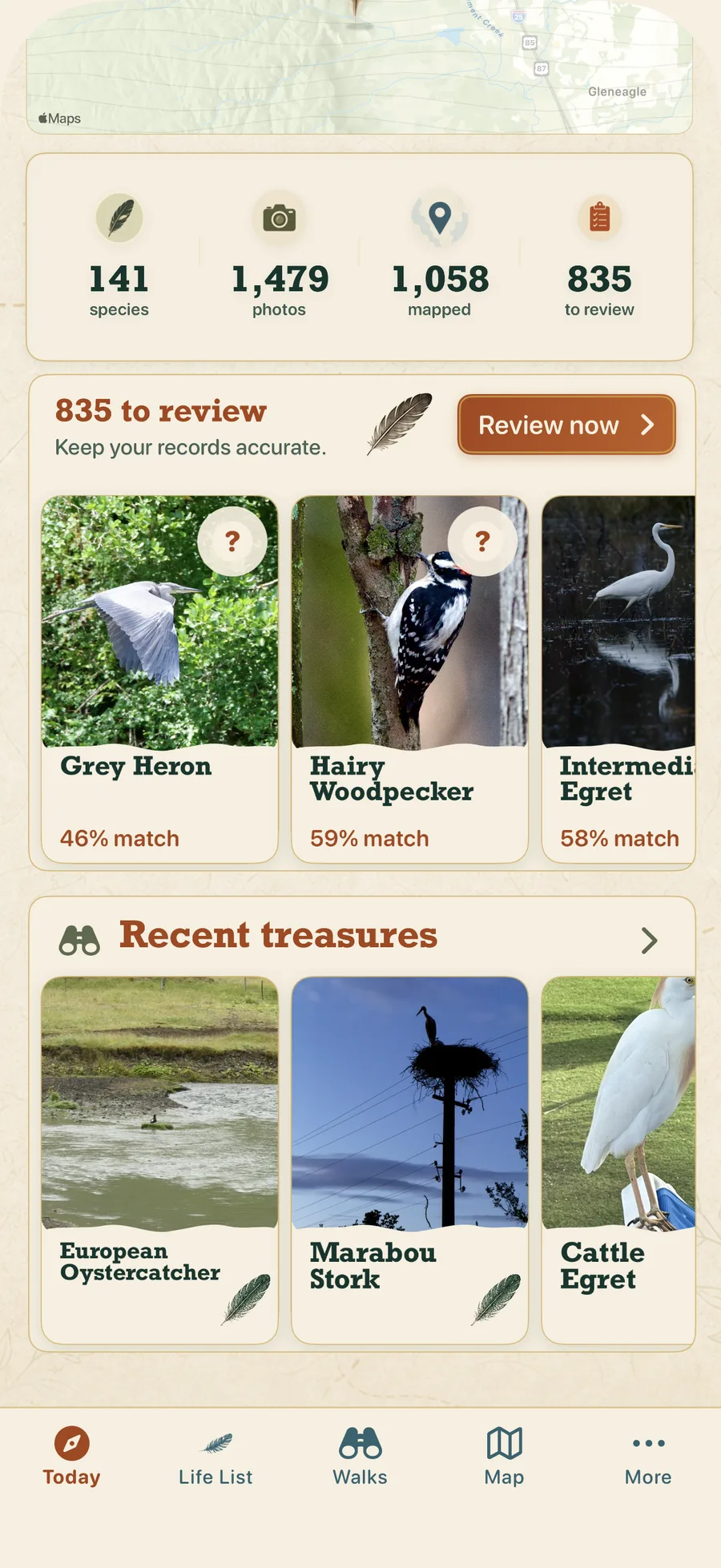
Confirm or correct the species suggestions you can support. In Feather Trove, the reviewed images become part of a personal archive you can revisit through the life list and available location information. A real app screenshot appears below; it illustrates the interface, not a promised number of discoveries.
For future photographs, try to keep the original date and location metadata when you are comfortable doing so. It can help you remember the outing and evaluate a later suggestion. Use eBird separately when your goal is a checklist with counts from the field.
Sources & scope
This guide uses official product descriptions and Feather Trove product materials. It is not a hands-on comparison or an independent accuracy study.
Feather Trove · App Store Merlin · Cornell Lab eBird · App StoreStart with the birds in your photos.
Explore Feather Trove’s on-device photo-library workflow. Most features require a subscription.
Explore Feather TroveCite this entry
Best Bird Apps. “How to identify birds hiding in your photo library..” Content reviewed 7 November 2026.
https://bestbirdapps.com/how-to-identify-birds-from-photos